
Last updated: November 12, 2026
Key Takeaways
- Rank tracking should show whether your SEO work is moving the pages and queries that matter.
- The right setup depends on how many pages you care about, how local the search is, and how often rankings can swing.
- You should track keywords that map to pages, intent, and business value, not just keywords that sound important.
- Use one dedicated rank tracker plus Google Search Console, because one tool shows position trends and the other shows real search data.
Rank tracking strategy and setup guide work best when you track the right keywords, in the right places, on the right schedule, with a setup that matches your site’s size and search markets. Quick answer: a solid rank tracking strategy and setup guide usually starts with a small, page-based keyword set and a weekly review cadence. Below, I’ll show you how to choose what to track, how to configure tools, and how to read the numbers without fooling yourself.
What rank tracking is supposed to tell you
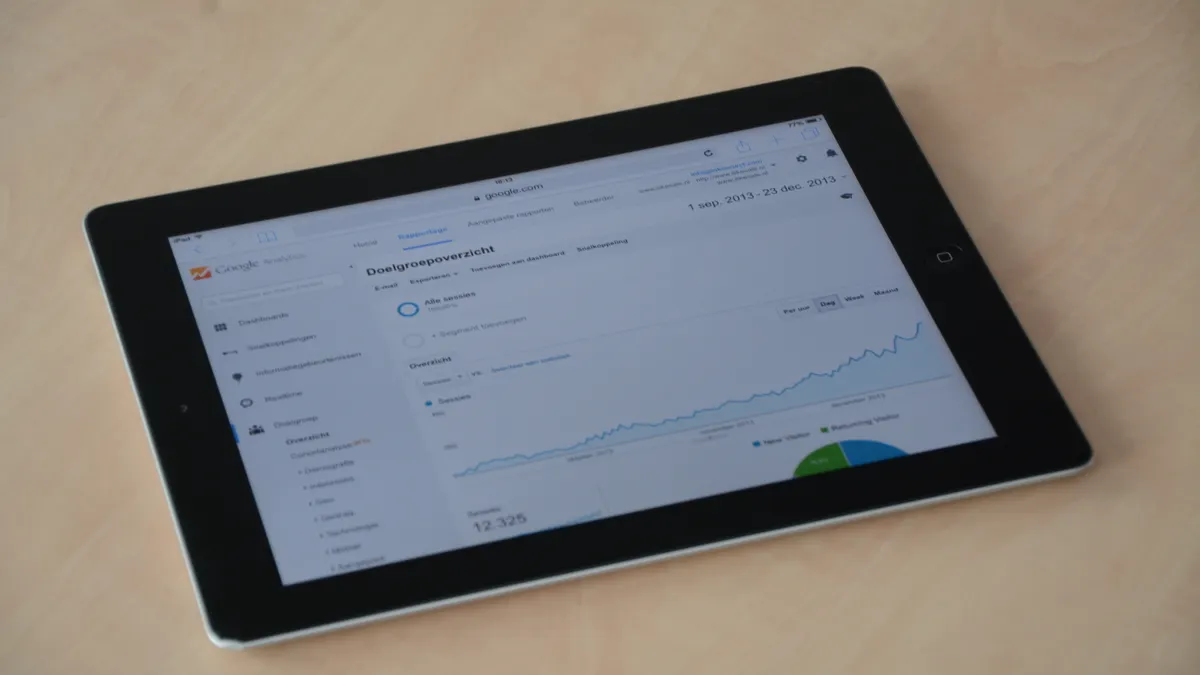
Rank tracking should tell you whether your SEO work is moving the pages and queries that matter. If it only tells you that a keyword moved from position 18 to 16, but you don’t know whether that affected clicks, revenue, or leads, the setup is too shallow.
Picture this: you’ve got a site with 40 service pages, a handful of blog posts, and one sales team asking which pages are pulling their weight. You need a setup that catches real shifts, not a daily panic over every wobble. That means tracking intent groups, not just single keywords, and watching them by device and location.
Here’s the catch: rank tracking is not search visibility reporting. A keyword can “rank” and still bring nothing if it sits below ads, maps, video packs, or a featured snippet that steals the click. Google Search Central explains that Search Console data reflects how Google’s search results are reported, which is why rankings and clicks can tell different stories.
Use this simple rule set:
- Track the page’s main money keyword.
- Track 3–10 close variants that represent the same intent.
- Separate branded queries from non-branded queries.
- Track by market, device, and search engine if those change the result.
- Pair rankings with clicks and conversions in Google Search Console and analytics.
A good setup answers three questions:
- Did the page move?
- Did the move happen in the market I care about?
- Did that change traffic or leads?
Quick check: if your current report only shows “average position” and nothing else, the setup is too weak.
What actually determines the right setup?
The right setup depends on how many pages you care about, how local the search is, and how often your rankings can swing. If you sell in one city, your setup should look very different from an ecommerce site with hundreds of URLs and national traffic.
Picture this: you’re deciding whether to track 50 keywords or 500, and every tool page claims you need more data. The truth is, the correct sample size is the smallest set that still shows business change. Track too little and you miss important shifts. Track too much and your report turns into noise.
Use this table to match the setup to the job:
| Situation | Best Path | Why Other Options Fail |
|---|---|---|
| Local service business in one metro | Track service + city keywords, map pack terms, and location-specific pages | National-only tracking misses local pack movement and neighborhood intent |
| National brand with a few core pages | Track page-level head terms and branded vs non-branded split | Keyword sprawl hides which pages actually drive leads |
| Ecommerce with many category pages | Track category terms, product family terms, and top converting URLs | Single-keyword tracking ignores long-tail revenue pages |
| Multi-location business | Track each location in its own market | Blending locations hides cannibalization and local SERP differences |
| New site with thin content | Track a small set of realistic queries and page groups | Chasing hard head terms creates false failure signals |
A clean setup usually includes these components:
- A keyword list built from Search Console queries
- Page grouping by topic or funnel stage
- Country, region, or city filters
- Desktop and mobile split where it matters
- Weekly trend review, not just daily checking
The best approach is usually the one that balances enough detail for decisions with a report you can actually review. You do not need a giant keyword list to start. You need a list tied to pages that matter.
Quick check: if you have more than 100 tracked keywords but cannot explain why each one matters, the setup is bloated.
How do I choose which keywords to track?

You should track keywords that map to pages, intent, and business value, not just keywords that sound important. If a term will never produce a click you care about, it does not belong in the core rank set.
Picture this: you’re staring at a keyword list with 300 ideas from a brainstorm, a tool export, and a competitor scrape. Some are useful. Most are noise. The job is to build a tiered keyword set so the data stays readable.
Use this 5-step process:
- Start with pages that already get impressions in Google Search Console.
- Group queries by intent: informational, commercial, transactional, or local.
- Keep one primary keyword per page and 3–8 close variants.
- Separate branded terms from non-branded terms.
- Remove keywords that map to a different page, a different market, or a different product line.
That sounds simple because it is. The hard part is saying no to keywords that make reports look busy.
Track these types of terms:
- Head terms for the page’s main topic
- Long-tail terms that indicate strong intent
- Brand + product or brand + location terms
- “Near me” or city modifiers if local search matters
- Query variations that trigger different SERP features
Do not track only one keyword per page if the page has several real search intents. But do not track 40 versions of the same phrase either. That only creates false precision.
A practical benchmark:
- Small site: 20–50 tracked keywords
- Mid-size site: 50–200 tracked keywords
- Larger site: page groups plus a curated subset of priority terms
Those ranges are a working guide rather than a formal standard. The right number is the one you can review without skipping half the report.
Quick check: if your team argues about “ranking” but nobody knows which page each keyword belongs to, the keyword list needs a reset.
Which tools should you use for rank tracking?
You should use one dedicated rank tracker plus Google Search Console, because one tool shows position trends and the other shows real search data. If you only use a rank tracker, you miss clicks. If you only use Search Console, you miss clean location and device comparisons.
Picture this: you need a weekly report that a manager can scan in 3 minutes. A good setup does not force that person to open 12 tabs. It gives you one source for trend lines, one source for actual search behavior, and a repeatable review rhythm.
Common choices include:
- Google Search Console for query and page data
- Ahrefs, Semrush, STAT, AccuRanker, or similar rank tools for tracking
- Looker Studio or a spreadsheet for reporting
- Analytics for conversions and landing-page behavior
Here’s the catch: tools vary in how they calculate average position, local results, personalization, and SERP features. The number in one tool will not always match another, so compare like with like. Google’s Search Console help pages and reporting documentation are the most authoritative place to confirm how its data is defined.
Use the tool that fits the decision:
- Search Console if you need real impressions, clicks, and query data from Google
- Dedicated rank tracker if you need daily or weekly position checks by market
- Analytics if you need to connect rankings to revenue or leads
- Spreadsheet if you need a clean manual audit of a small keyword set
Two authoritative references worth keeping nearby:
- Google Search Central documentation on Search Console and performance data
- Google’s own guidance on how search results data is reported in Search Console
A rank tool should let you:
- Set the search engine.
- Set the country or city.
- Set the device.
- Add target URLs.
- Tag keywords by topic or funnel stage.
- Export reports cleanly.
If the tool cannot separate mobile and desktop, or cannot set a local market, it is weak for serious work. That matters more than flashy charts. For example, Google Search Console support documents and the Google Search Central blog both reinforce that device and market context affect interpretation.
Quick check: if you need more than one person to explain how the tool “counts” ranking, the setup will produce arguments, not insight.
How do I set up rank tracking the right way?
You set up rank tracking by tying each keyword to a specific URL, a specific market, and a specific review cadence before you ever look at a chart. Without that structure, every line on the graph becomes a guessing game.
Picture this: you’re setting up a new campaign and want the first month to mean something. The easiest mistake is to import a giant keyword sheet and start watching daily changes. That gives you motion, but not meaning. A good setup starts with page mapping and ends with a review process.
Use this workflow:
- List the pages you actually want to grow: money pages, category pages, service pages, and priority content.
- Assign one primary keyword cluster to each page.
- Choose the search market: country, region, or city.
- Choose the device split that matches how users search for that page.
- Set update frequency: daily for volatile markets, weekly for most small and mid-size sites.
- Tag keywords by page type, funnel stage, or business line.
- Record the current target URL so you can spot cannibalization later.
- Create a simple report that shows position, movement, clicks, and conversions together.
A few setup choices matter more than people think:
- Use exact pages, not just domains
- Track the same market every time
- Keep branded and non-branded queries separate
- Use consistent date ranges
- Watch for SERP features that push organic results down
Do not track every keyword on the homepage. Do not point three different keyword groups at one URL unless that page truly serves all three intents.
One useful standard here is consistency. Not a formal ISO standard, just a reporting standard you enforce yourself: same market, same device, same target page, same review day. That is what makes the trend usable.
Quick check: if you cannot point to the exact URL each keyword is supposed to support, your setup is not ready.
How often should you check rankings?
You should check rankings weekly for most sites and daily only when volatility or high traffic justifies it. Daily checks are useful for new pages, big launches, and fast-moving local markets. For steady sites, daily checking often creates bad decisions.
Picture this: one keyword jumps three places on Tuesday and drops two places on Wednesday. If you refresh the dashboard every hour, you’ll think the sky is falling. The truth is, rank noise is normal. What matters is the trend over 2–6 weeks, not the mood of one day.
Use this timing guide:
- Daily: major launches, local SEO, competitive niches, high-stakes pages
- Weekly: most content sites, service sites, and mid-size ecommerce stores
- Biweekly or monthly: low-volume sites with slow movement and few updates
Do not make a business decision on one day of rank data unless the change is huge and the traffic impact is obvious.
Review ranks in this order:
- Did the target page move?
- Did the move happen on the market you track?
- Did clicks move in Search Console?
- Did conversions move in analytics?
- Did competitors move at the same time?
That sequence keeps you from overreacting to one metric.
If you need a threshold, use this practical rule: a position change matters more when it happens near the top of page 1 than when it happens in the teens. A move from 12 to 8 usually matters more than a move from 58 to 54.
Quick check: if you feel pulled to refresh rankings every morning and then explain the same chart three different ways, you’re checking too often.
What do you do when rankings move but traffic doesn’t?
You treat that as a SERP problem, a query problem, or an intent problem—not as proof that SEO failed. If you are unsure whether the issue is technical, content-based, or strategic, consult a qualified SEO professional and compare the page against Google Search Central guidance before making major changes. Rank can improve while clicks stay flat because the search page changed shape.
Picture this: you move from position 9 to position 6, but Search Console shows no click lift. That can happen when ads, shopping results, featured snippets, map packs, People Also Ask boxes, or video carousels take the click. The number moved, but the real estate changed.
Use this troubleshooting table:
| Symptom | Likely Cause | Best Fix |
|---|---|---|
| Rank improves, clicks stay flat | SERP features are stealing clicks | Compare the query’s result page and target a richer snippet or a different intent |
| Rank improves on desktop but not mobile | Mobile SERP differs | Track mobile separately and improve mobile page layout or local intent |
| Rank drops for one keyword but page traffic is stable | The page ranks for many related terms | Look at page-level performance, not one term |
| Rank rises after a content update but falls again in 2 weeks | The page isn’t matching intent | Rewrite the page to answer the main query faster and cleaner |
| Rankings are strong in one city but weak elsewhere | Local variation | Split tracking by location |
A strong response usually includes one of these actions:
- Rewrite titles and meta descriptions for clearer intent
- Move key answers higher on the page
- Strengthen internal links to the target URL
- Add sections that match the query better
- Fix location targeting or page duplication
Do not chase every tiny shift with a new page or a new keyword. That is how sites end up with thin content and a mess of competing URLs.
One useful benchmark is page-level performance, not just keyword-level rank. If the page is gaining impressions and clicks overall, a one-keyword dip may not matter.
Quick check: if your rank went up but business results did not, the problem is usually the SERP or the page intent—not the tracker.
What are the edge cases that break normal rank tracking advice?
Rank tracking breaks down when the market, the device, or the result page behaves differently than the standard setup expects. In those cases, the normal advice is too simple.
Picture this: you’ve followed the usual playbook, but the numbers still make no sense. That’s often because one of four things is happening: local variation, SERP features, branded bias, or content cannibalization. Each one changes what the rank number means.
Here are the main edge cases:
-
Local service business with map results
Situation → the map pack dominates the page.
What changes → organic rank is no longer the whole story.
What to do instead → track map visibility, city-level terms, and location pages separately. -
Branded queries are mixing with non-branded data
Situation → reports look healthy because brand searches rank well.
What changes → the brand hides weakness in discovery traffic.
What to do instead → split branded and non-branded keywords into separate views. -
One page ranks for many intents
Situation → the same URL shows up for dozens of queries.
What changes → a single ranking number is meaningless.
What to do instead → group queries by intent and judge the page as a whole. -
Two pages compete for the same query
Situation → rankings bounce between URLs.
What changes → cannibalization makes the result unstable.
What to do instead → consolidate, redirect, or retarget one page clearly. -
International or multilingual search
Situation → one market is stable and another is noisy.
What changes → language, country, and hreflang can split signals.
What to do instead → track each locale as its own market. -
Very new content
Situation → pages have thin data and wild swings.
What changes → early ranks are unstable.
What to do instead → review over 30–60 days and watch impressions first.
These edge cases are fixable once you stop treating rank as a single universal number.
Quick check: if your rankings look “wrong” only in one location, one device, or one language, you probably have an edge case—not a broken tool.
How do you turn rank data into decisions?
You turn rank data into decisions by linking movement to page actions, not by celebrating or panicking over the chart. If a page rises, you decide whether to protect, expand, or replicate it. If it falls, you decide whether to fix, merge, or retire it.
Picture this: Monday’s report shows a page dropped from page 1 to page 2. The wrong move is to start editing everything. The right move is to ask what changed first: content, links, technical access, intent, or competitors. Rank data is a clue, not a verdict.
Use this decision ladder:
- Check whether the drop is real across your tracked market.
- Compare the ranking change with clicks and impressions in Search Console.
- Look at the target URL and confirm it still matches the main query.
- Review the top ranking pages to see what format Google prefers now.
- Pick one action: improve, consolidate, or leave it alone.
A simple action map helps:
- Improve if the page has the right intent but weak content
- Consolidate if two pages compete for the same query
- Leave it alone if rank moved but traffic and conversions stayed stable
Use a monthly review, even if you check weekly. Monthly is where patterns show up: which pages rise, which terms bring leads, and which pages sit at position 11 forever.
A good rank tracking setup does not just measure movement. It helps you decide where to spend the next hour.
Quick check: if your rank report ends with “interesting” but no action, the setup is not doing its job.
FAQ
How many keywords should I track?
You should track only the keywords that map to pages, markets, and business goals you care about. For a small site, that might be 20 to 50 terms; for a larger site, it can be much more, but the list still needs to stay tied to real pages and decisions.
Should I track rankings daily or weekly?
Weekly is enough for most sites. Daily tracking makes sense for volatile markets, launches, or local SEO where changes happen fast. If you check daily, you still should make decisions on weekly or monthly trends, not one-day swings.
Why do my rankings differ between tools?
They differ because tools use different locations, crawl methods, update times, and SERP handling. Google Search Console, for example, reports average position from real search data, while rank trackers often simulate searches from a chosen market and device.
What is the biggest mistake in rank tracking?
The biggest mistake is tracking too many keywords without linking them to pages and business outcomes. That creates reports full of movement but no clear next step. A smaller, better-mapped keyword set is usually more useful than a huge noisy one.
What should I track besides rankings?
Track clicks, impressions, and conversions alongside rank. That mix tells you whether a ranking change actually mattered. Without those other metrics, you can end up optimizing a number that never moved the business.
Drafted with AI; not yet reviewed by a person.