Last updated: November 04, 2026
Quick Answer: How to set up an AI SEO workflow for one person
A solo AI SEO workflow can run in 6 steps: research, brief, draft, optimize, publish, and review. It suits one-person sites that need more output without turning every page into a tool-juggling project.
A solo site owner setting up an AI SEO workflow for one person needs one AI writing tool, one keyword source, a search console, and a place to keep briefs and status notes. A simple stack is enough: Google Search Console, a spreadsheet or Notion page, and one language model such as ChatGPT, Claude, or Gemini. The point is not to collect software; it is to reduce handoffs.
What you need before you start
You need one AI writing tool, one keyword source, your site search console, and a place to keep briefs and status notes. A simple stack is enough: Google Search Console, a spreadsheet or Notion page, and one language model such as ChatGPT, Claude, or Gemini. The point is not to collect software; it is to reduce handoffs.
The solo SEO workflow works best when each tool has one job. Search Console tells you what already gets impressions and clicks. The keyword tool tells you what people search and how often. The AI tool helps with clustering, brief drafts, title ideas, and first-pass copy. If one tool starts doing all four jobs, review gets sloppy fast.
This setup is not for someone who wants every step automated. It is for a site owner who wants less switching between tabs and a clear review point after each stage. If you need a team-style approval chain, this is the wrong model. A one-person process should be obvious enough to run in 30 to 60 minutes per article once it is set up.
Two outside references help anchor the process. Google’s own Search Central documentation explains how Search Console reports performance data and indexing signals, and the Moz Beginner’s Guide to SEO is useful for keeping on-page basics straight. Those are not substitutes for judgment, but they stop the process from drifting into guesswork.
Set up one working board for the whole process
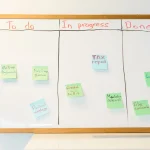
Set up one board with six columns: idea, research, brief, draft, optimize, and published. Use a spreadsheet, Notion, Airtable, or even a plain document. The board should hold every article in one view so the job is not scattered across inboxes, chat threads, and bookmark folders.
Add five fields to each row or card: target query, primary URL, search intent, next action, and review status. If you want one more field, make it “source of truth.” That can be Search Console, a keyword tool, or an existing page on your site. One field prevents the common solo problem where the brief, the draft, and the published page all disagree; if you are unsure how to structure that handoff, consult a professional workflow or SEO specialist and use a source such as Google Search Central for the technical basics.
The working board is the first place where the workflow becomes real. When it works, you can look at any row and know exactly what happens next without opening another tool. A good sign is that “draft” means the brief is approved, not “I have a messy outline somewhere.”
Keep the board narrow on purpose. Ten fields create admin work, not clarity. Four or five fields is usually enough for a solo site owner. If the board takes more than a few minutes to update after each article, it has become another project instead of a control panel.
How do I turn keyword research into a usable brief?
I turn keyword research into a usable brief by choosing one primary query, one page purpose, and three to five supporting angles before I draft anything. That keeps the content aligned and helps prevent the AI from wandering across half the SERP; if you are unsure about the brief structure, consult a professional SEO resource and check Google Search Central guidance for search performance and indexing basics.
Start with Search Console if the site already has traffic. Look for queries with impressions but weak clicks, then group them by page intent. If the site is new, begin with a keyword tool and choose terms that are specific enough to write about in one page. Avoid broad head terms unless you already have authority around them.
Then build the brief in a fixed order:
- Enter the primary query and the target URL.
- Note the search intent in one sentence.
- List 3 to 5 subtopics the page must cover.
- Add 3 competing pages or SERP patterns you need to beat or match.
- Write one “done when” line, such as “reader can choose a tool stack and set the review checkpoints.”
When the brief works, the AI should be able to draft without asking follow-up questions. If the model keeps asking what the page is for, the brief is too vague. A brief that fits on one screen is usually better than a sprawling doc.
The trade-off here is speed versus precision. A short brief is faster, but it can miss nuance. A longer brief captures more detail, but it slows the solo process and increases the odds that the draft becomes a summary of notes rather than a page with a point. For one person, 1 page of brief is usually enough.
Build the drafting step so AI does the first pass, not the final pass
Build the drafting step so AI produces a structured first pass and you do the final shape. The goal is not a finished article in one prompt; it is a draft that saves 60 minutes of blank-page time without creating cleanup work later.
Use one prompt template for every article. Feed it the brief, the target query, the audience, the desired page goal, and the headings you want. Ask for a draft with placeholders where facts, screenshots, or examples are needed. Ask it not to invent numbers or cite unsupported claims. That single instruction avoids a lot of later correction.
A good draft stage has three outputs, not one:
- a working outline with H2s and H3s,
- a full draft under those headings,
- a list of missing details or uncertain claims.
The best sign that this step worked is that the draft reads like a competent structure, not a polished final. If every paragraph sounds complete on first pass, the model may have smoothed over missing intent or duplicated ideas. In solo work, that polish can be a trap because it hides gaps until after publication.
Use one editing pass immediately after drafting. Cut repetition, tighten the opening, and replace vague phrasing with concrete tool names or screen names. If the draft says “various best practices,” rewrite it to say exactly which step, setting, or report you mean. That is where AI content usually goes soft.
Where should review checkpoints sit in a solo SEO workflow?
Review checkpoints should sit after the brief, after the draft, and right before publish. That gives one person three light gates instead of one giant editing slog at the end.
The first checkpoint is the brief review. Check that the page answers one query and that the scope is narrow enough for one URL. If the brief cannot be explained in one sentence, it is not ready. This checkpoint is often the cheapest place to stop a bad article.
The second checkpoint is the draft review. Read only for three things: factual accuracy, coverage, and duplication. Factual accuracy means no invented tool features, prices, or claims. Coverage means the page actually includes keyword research, content briefs, drafting, on-page SEO, and Search Console where needed. Duplication means no section repeats the same recommendation with different wording.
The third checkpoint is the publish review. Use a 10-item checklist:
- Title matches the query.
- H1 is clear and natural.
- One primary keyword is used in the opening.
- Headings follow the article’s logic.
- The lead answers the searcher’s question.
- Images have alt text if used.
- Internal links are added if they already exist.
- Meta title and description are set.
- The URL slug is clean.
- Search Console inspection or submission is ready after publication.
A solo site owner does not need five approval layers. Three checkpoints are enough if each one has a defined job. The cost of skipping them is predictable: bad briefs create drifting drafts, and weak publish checks create pages that need fixing after indexing.
Publish checklist for AI-assisted pages
The publish checklist is the last guard against a page that is usable in draft form but sloppy in public. It should take 5 to 15 minutes, not an hour, because the real editing should already be done.
Before publishing, check the on-page elements that AI often neglects. Make sure the title tag is specific, the meta description says what the reader gets, and the first paragraph names the subject in plain language. Check that the main heading and the body are consistent, especially if the draft came from multiple prompts. Confirm that any images are relevant and compressed enough for the page not to feel heavy.
Then check the page against the search intent, not just the keyword. If the query is “how to set up an AI SEO workflow for a solo site owner,” the page should explain setup order, tool handoff, review checkpoints, and publish checks. It should not wander into agency management, team workflows, or deep automation architecture. That belongs on another page.
After publishing, use Search Console as the feedback loop. Look at performance data after the page has had time to show impressions, then compare queries against the brief. If the page attracts adjacent terms, note them for a future update. If it fails to surface at all, inspect index coverage, titles, and whether the page matches the intent you targeted.
The honest limitation is that AI can accelerate a solo workflow, but it cannot tell you which page deserves priority in your own niche. That decision still depends on your site’s existing topics, the strength of your internal links, and how much editing time you can afford. If you want a system that runs with almost no judgment, this is not it.
Common mistakes that create extra work later
The biggest mistake is putting AI in charge of topic choice. That usually costs you relevance, because the model will happily generate plausible angles that do not fit your site’s authority or your current search demand. The fix is simple: choose the query yourself, then use AI inside that boundary.
A second mistake is using too many tools for one step. If keyword research happens in one app, clustering in another, outlining in a third, and drafting in a fourth, the process turns into admin work. The cost is time lost to copying and pasting. The fix is one handoff per stage, with the brief acting as the transfer document.
A third mistake is trying to automate the review stage. That sounds efficient, but it usually creates thin content and missed errors. A model can flag repetition, but it cannot reliably judge whether a page answers the real search intent or whether a claim is too strong for the evidence. For a solo site owner, the review step should stay human.
A fourth mistake is publishing before the page has a clear purpose. A page that tries to rank for keyword research, drafting, on-page SEO, and content briefs all at once will often underperform on every one of them. The cost is dilution. The fix is to assign one primary query and one page goal.
Two rules keep the process sane. First, if a step adds a tool without removing a decision, it is probably not worth it. Second, if a prompt is longer than the brief, the workflow is backwards.
Key Takeaways
- A solo SEO system works best when one tool handles each stage and the brief does the handoff.
- Search Console, keyword research, drafting, and on-page SEO should stay in a fixed order.
- The best review setup for one person is usually light: brief check, draft check, publish check.
- AI should speed up the first pass, not replace judgment on intent, structure, or final edits.
- The simplest setup is the one you can repeat without rebuilding it for every article.
What is the simplest AI SEO workflow for one person?
The simplest version is four steps: pick one query, write a short brief, let AI draft from that brief, then edit and publish. A spreadsheet plus Search Console and one AI tool is enough. If the process needs more than one board and one editor, it is probably too heavy for a solo site owner.
Which steps should stay manual in a solo workflow?
The manual steps are topic selection, brief approval, final fact-checking, and publish judgment. AI can help with ideas and first drafts, but it should not decide the page’s purpose or confirm claims about tools and features. Those decisions depend on your site, your audience, and the exact search intent you are targeting.
How do you avoid duplicated work between tools?
Use one source of truth for each stage and move information only once. Put the keyword, intent, and target URL in the brief, then reuse that brief in the drafting tool instead of retyping it elsewhere. If a field has to be entered twice, the workflow is already drifting and should be simplified.
Drafted with AI; not yet reviewed by a person.