

Last updated: November 04, 2026
AI SEO workflow templates for different site types are useful when the publishing model, not the keyword list, drives the process. A blog, an affiliate site, a local business site, and a SaaS website do not need the same operating pattern, because they do not have the same page types, update cadence, or conversion goal. Quick answer: the right workflow template is usually chosen by site type, page type, and verification needs, not by the keyword alone.
Key takeaways
- The right template depends on the site’s job: publish, rank, convert, or retain.
- Blog sites need a fast research-to-draft loop; affiliate sites need comparison discipline and fact checks; local businesses need location and service-page consistency; SaaS sites need tighter alignment with product positioning and search intent.
- A template should reduce decision fatigue, not produce generic pages on autopilot.
- If a site has one person and a few pages, keep the process lighter than a multi-editor setup.
- The wrong template usually costs time, topical fit, or trust — not just rankings.
What a site-type template should do before any writing starts
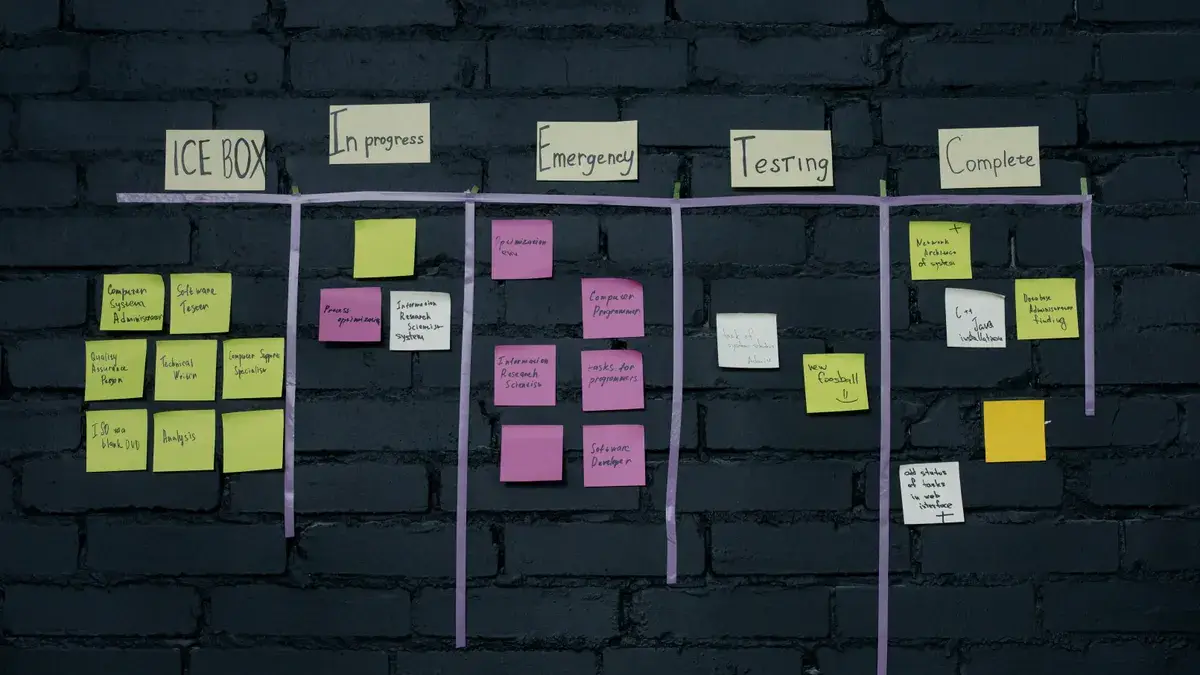
A good SEO workflow template for different site types decides four things up front: the page type, the intent, the source set, and the review path. If those are vague, AI can produce text quickly and still miss the point.
Start with the page type because a category page, service page, how-to article, and comparison article need different inputs. A blog article can often be built from 3 to 5 sources and a rough outline. A local service page may need location wording, service boundaries, and proof points. A SaaS page often needs product terminology, feature names, and a clear call to action. The template should reflect that difference before anyone opens a draft.
Then define intent in one sentence. For example: “Someone wants to compare email marketing tools for small teams,” or “Someone wants to find a plumber in East Austin.” That sentence keeps the AI from drifting into generic advice. It also tells you which SERP features matter. A page competing with list posts needs comparison structure. A page competing for local intent needs NAP consistency, service-area language, and map-pack compatibility.
A practical template also assigns source types. That might include internal product docs, Google Business Profile details, a service catalog, or original customer FAQs. For informational content, it might include 2 or 3 authoritative references, such as the Google Search Central documentation on helpful content and on structured data, plus the official documentation or help center for any product named on the page. For example, Google Search Central’s guidance on helpful, reliable content and its structured data docs are relevant references when the page structure matters.
The last piece is review ownership. A template that skips review turns AI into a fast way to create confident mistakes. Even a solo site owner needs a checklist: factual review, brand review, and on-page SEO review. The hub on how to set up an AI SEO workflow for a solo site owner goes deeper on that smaller operating model.
Which template fits blog sites?
A blog template should move from topic to outline to draft in one short loop, because blog sites usually win by publishing consistently rather than by polishing one page for weeks. For most blogs, the goal is to get from keyword to useful article without losing the angle.
The template can be simple:
- Pick one target query and one search intent.
- Pull 3 to 5 supporting sources, including at least one source that reflects current product or platform behavior if the topic depends on it.
- Ask the model for a working outline with a clear “what this is / what it is not” section.
- Draft the article in sections, not as one block.
- Run a fact pass and a tone pass before publishing.
That sounds ordinary, but the value is in the constraints. Blog articles fail when AI is allowed to “write about the topic” without a content angle. The template should force a stance, such as “best for beginners,” “mistakes to avoid,” or “template by use case.” That keeps the article from sounding like a summary of the internet.
For blogs, the biggest trade-off is speed versus distinctiveness. A 20-minute AI-assisted draft is attractive, but a page that sounds like every other page on the SERP will not earn links or clicks. The template should therefore include one “non-negotiable original element,” such as a framework, a checklist, a decision tree, or a worked example. That original element does more for the page than another 300 words of generic explanation.
This template is not for news blogs, trend-chasing publishers, or sites that need heavy expert review on every article. Those sites need a slower process because freshness and authority matter more than throughput. For evergreen blogs, though, the workflow can stay lean: 3 to 5 sources, one outline, one editor pass, one publish decision.
Affiliate site template: how to keep comparison pages honest
An affiliate template needs stricter source control than a blog template because comparison pages are where generic AI text creates the most damage. The job is not just to describe products; it is to compare them without inventing features, burying trade-offs, or writing like a brochure.
The page structure usually works best when it is fixed. A strong affiliate template often includes:
- a short verdict up top
- a comparison table
- criteria for who each product fits
- pros and cons
- a final recommendation by use case
That structure helps the reader decide quickly. It also helps the model stay anchored. If the comparison table is built from verified fields only — price model, core features, limitations, integrations, support channels — the rest of the page has fewer chances to drift.
The honest trade-off here is that affiliate pages need more manual checking than blog articles. If a feature changes, the page may be wrong even if the prose still reads well. That means the template should include a source-check step for every product mention. Use the official pricing page, help center, documentation, or changelog where possible. If the details are not current, leave them out rather than guessing.
A useful prompt pattern is: “Write a comparison for buyer intent only. Do not repeat marketing claims. Include one reason not to choose each product.” That last instruction matters. A comparison with no downside reads like affiliate copy, not editorial guidance.
This template is wrong for sites that want to publish dozens of thin list pages at scale. Those pages are the first to become stale and the easiest to lose reader trust on. It is better to have fewer comparison pages with real criteria than many pages with recycled blurbs. A good affiliate workflow should make omissions easier than invention.
Local business workflow template: what changes when location matters?
A local business template should center service area, trust signals, and page consistency, because local search depends on details that blog or affiliate templates can ignore. A page for a dentist, roofer, locksmith, or law office needs more than a topic outline; it needs location-aware structure.
The template should begin with a location and service inventory. That means the exact city, neighborhood, or service area, plus the services that are actually offered there. If the business serves 5 neighborhoods, the template should not let AI invent 12. If there are 3 main services, those should shape the page headings. This is where many generic templates fail: they write a local page like a generic article and leave out the practical signals that local searchers expect.
A strong local workflow usually follows this sequence:
- Pull the business name, address, phone, hours, and service-area list from the source of truth.
- Choose the page type: homepage, city page, service page, or FAQ page.
- Draft headings that match local intent, such as “Emergency Plumbing in [City]” or “AC Repair in [Neighborhood].”
- Add proof points that are real and specific: licenses, service radius, booking method, team size if published, or appointment hours.
- Check the page against Google Business Profile and the website’s contact details for consistency.
That consistency matters more than most people think. A local page with mismatched phone numbers or vague service areas can underperform even if the copy is polished. The template should therefore include a consistency check, not just a writing step.
The trade-off is flexibility. Local pages are less creative than blog articles, and they should be. The template is not designed to entertain; it is designed to help someone decide, contact, and visit. It is also not the right model for brands with one central office and no location-specific pages. In that case, a service-page template is enough. For multi-location sites, the local workflow prevents each page from becoming an isolated guess, but consult a local SEO professional and the Google Business Profile documentation before standardizing location pages.
SaaS website template: how to align AI with product-led search
A SaaS template should connect search intent to product messaging, because SaaS pages have to do two jobs at once: rank and convert. That means the workflow needs product truth before it needs prose.
The starting point is a source set built from the product itself: feature docs, onboarding flows, release notes, pricing notes, and sales objections. A SaaS article written from keyword research alone tends to sound broad and empty. A page written from product truth can explain not just what a feature is, but when it matters.
For SaaS, the template should usually separate three page types:
- problem pages, which address a pain point
- solution pages, which explain a feature or use case
- comparison pages, which position the product against alternatives
Each page type needs a different prompt. A problem page should stay close to the user’s language and avoid product-first phrasing. A solution page can be more explicit about features. A comparison page needs careful guardrails so it does not misstate competitors or overpromise.
The SaaS workflow template also includes a “proof layer.” That can mean screenshots, workflow examples, integration lists, or documentation links. It does not need fake urgency or inflated claims. It does need specificity. If the page says a product integrates with a certain platform, that should be traceable in the docs. If it says a feature solves a task in 10 minutes, that claim should be treated cautiously unless it is documented or plainly qualitative; for regulated or high-stakes topics, consult a qualified professional and verify against the product documentation.
The trade-off for SaaS is that the template must serve multiple stakeholders. Marketing wants search volume; product marketing wants positioning; sales wants qualification; support wants fewer confused leads. A good workflow can handle that tension by assigning one primary conversion goal per page. If the page is meant to drive demo requests, the copy should not also try to be a full onboarding manual.
This template is not ideal for sites that sell one-off services or publish generic thought leadership. It works best when the product has a clear set of features, a defined audience, and enough supporting documentation to keep AI grounded.
How to choose one operating pattern without turning everything into the same page
The easiest way to choose a template is to match the site’s main output to the amount of verification it needs. Blogs reward speed, affiliate sites reward accuracy in comparisons, local sites reward consistency, and SaaS sites reward alignment with product truth. If you use one pattern for all four, one of those priorities gets ignored.
A practical decision rule looks like this:
- Use the blog template if the site publishes educational content and the main risk is generic writing.
- Use the affiliate template if the site earns through recommendations and the main risk is stale or misleading comparisons.
- Use the local business template if rankings depend on service area and contact consistency.
- Use the SaaS template if the page must reflect product details and conversion intent.
A single template can be adapted across site types, but it should not flatten them. The prompt that works for an article about “best CRM tools” will not work for a local HVAC service page or a SaaS feature page. The wrong model creates a page that sounds polished and still misses the job.
One practical way to keep the system sane is to build a template library with 4 versions, not 1 master template. Each version should define the page type, the inputs, the fact-check step, and the approval owner. That keeps the AI from improvising its own structure every time. It also makes training easier if a second person joins later.
A final warning: do not choose the template that feels most automated. Choose the one that best fits the site’s trust model. If the site depends on reader confidence, local accuracy, or product correctness, a lighter workflow usually costs more than it saves.
Common mistakes that make AI SEO templates fail
The biggest mistake is using one prompt for every site type, because the article comes out fluent and wrong. The cost is wasted editing time and weaker pages. The fix is to build a different input set for each model: blog, affiliate, local, and SaaS.
A second mistake is asking AI to “optimize” before the outline is right. That usually produces headings that look SEO-friendly but ignore intent. The cost is a page that ranks poorly or satisfies no one. The fix is to lock the page purpose first, then ask for title ideas, section order, and supporting questions.
A third mistake is letting the model fill in missing facts. That is especially dangerous on affiliate articles and SaaS articles, where feature claims and integrations can change. The cost is trust loss. The fix is to separate “write” and “verify” as two different steps, even if the verification takes only 10 minutes.
A fourth mistake is over-standardizing local pages. If every city page has the same five headings and the same generic intro, the result looks thin. The cost is poor differentiation. The fix is to anchor each page in local proof: neighborhoods served, local hours, branch details, or region-specific service notes.
A fifth mistake is treating the template like a one-time setup. Search intent shifts, products change, and service areas expand. A useful template should be reviewed every 60 to 90 days for active sites, or whenever a page type starts underperforming. That review does not need to be dramatic. It only needs to catch stale inputs before they spread through the site.
FAQ
Which workflow template is best for a blog?
The blog template is usually the best starting point for educational sites. It works best when the site needs a fast research-to-draft cycle and the main risk is generic output. Keep it narrow: one query, one intent, one strong angle, and a small source set of 3 to 5 references.
Drafted with AI; not yet reviewed by a person.