
Last updated: November 15, 2026
Quick Answer: In 5 checks, you can usually tell whether a keyword ranking drop or spike is real or just noise. This guide covers How to Interpret Keyword Ranking Drops and Spikes: related questions, and the first step is to check the same page, the same query, the same device, and the same date range in Google Search Console before you act.
Key takeaways
- A rank change is a signal, not a verdict. One page can move because of intent, links, technical errors, or a tracking gap.
- Start with Google Search Console and compare one page, one query group, and one date range before touching content.
- Big swings that affect many pages point to sitewide issues. A jump or drop on one URL usually points to page-level cause.
- Do not “fix” every dip. Some drops are noise, and some spikes are short-lived test runs from Google.
- The safest response is often a short, dated checklist: confirm, isolate, compare, diagnose, then change one thing at a time.
What does a rank drop or spike actually mean?

A keyword ranking drop or spike means your page moved in the search results for a query, but the move may be temporary, partial, or misleading. The first question is not “How bad is it?” but “Is this real in the same data source, for the same query, on the same device?”
Because Google Search Console shows actual queries, it is usually the best starting point, but not the only place to check. Google Search Central explains that Search Console data is for search performance, not a live rank ticker, so a single point change on one day should not drive a rewrite.
A useful rule is to separate three cases. A one-page drop often points to content, intent, or technical trouble on that URL. A sitewide drop across many pages often points to crawling, indexing, internal linking, or a broad quality shift. A spike can be a good sign, but it can also be a short test, a branded query surge, or a tracking artifact.
For a plain-language reference, Google Search Central’s documentation on Search Console and indexing is worth keeping open: Google Search Console Help and Google Search Central documentation. These are not ranking theories; they are the source pages that explain how Google reports and processes search data.
How do I tell if the change is real?
The change is real if it appears in the same query, on the same page, across more than one date window, and in Search Console rather than only in a third-party tracker. That is the first filter, and it saves a lot of bad edits.
Start with these 5 checks in order:
- Check Search Console first. Look at the page and query pair, not the whole site. If the movement is only in one tool, the tool may be noisy.
- Compare two time windows. Use a before-and-after view that covers the same days of the week. If the trend holds in both windows, the change is more likely to be real.
- Split by device. A desktop-only drop or a mobile-only spike usually points to layout, speed, or rendering differences.
- Look at impressions and clicks with position. If position drops but impressions stay flat, you may have moved a little. If impressions collapse too, demand or indexing may have changed too.
- Check the exact URL. If Google starts ranking a different page for the same query, the issue may be cannibalization or intent mismatch.
When this works, you should see one clear pattern instead of a blur. For example, a single URL may lose position on mobile while desktop stays steady, or the top query group may fall only after a page title change. That is the level of detail you need before you edit anything.
Which causes are most likely?

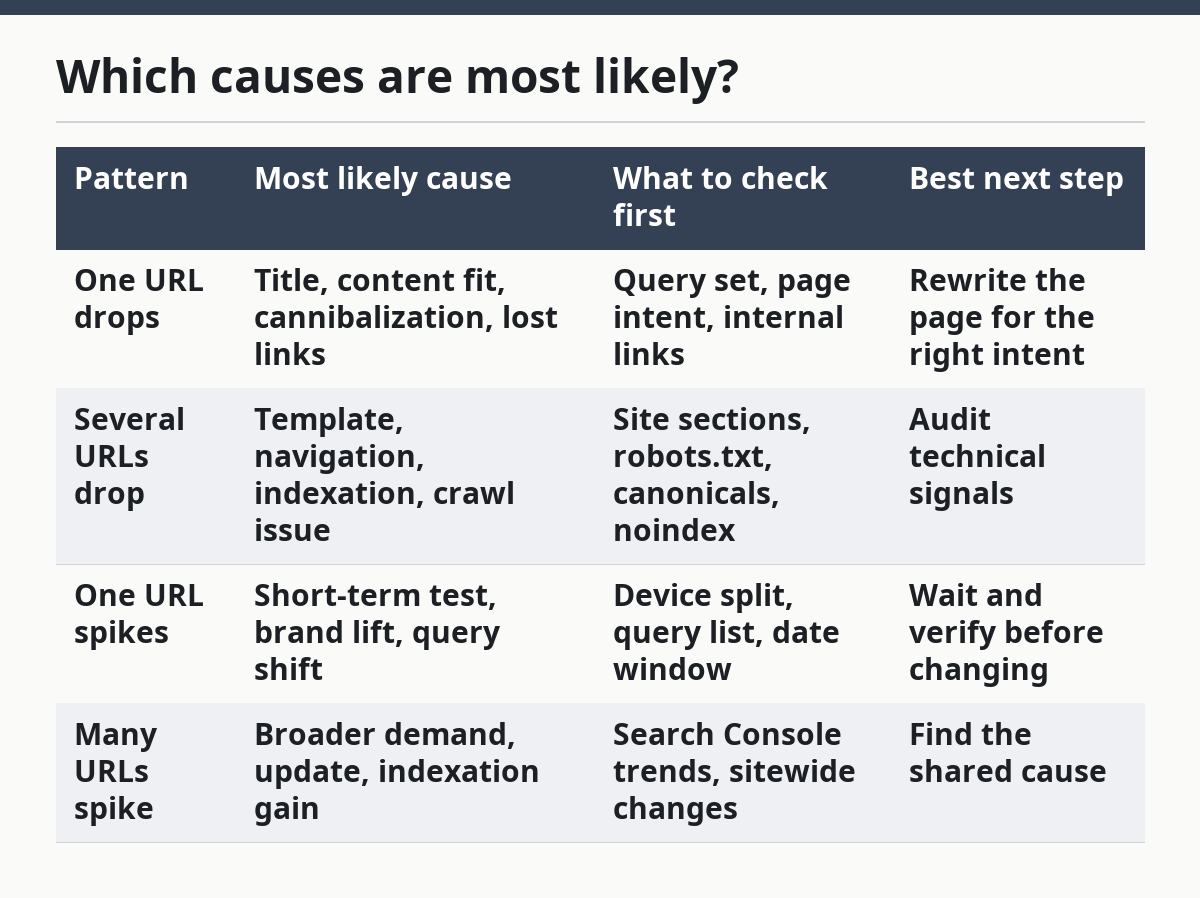
The most likely cause depends on whether the move is isolated, clustered, or sitewide. A single page is usually about content, intent, links, or internal competition. A cluster of pages often points to templates, structure, or technical changes.
| Pattern | Most likely cause | What to check first | Best next step |
|---|---|---|---|
| One URL drops | Title, content fit, cannibalization, lost links | Query set, page intent, internal links | Rewrite the page for the right intent |
| Several URLs drop | Template, navigation, indexation, crawl issue | Site sections, robots.txt, canonicals, noindex | Audit technical signals |
| One URL spikes | Short-term test, brand lift, query shift | Device split, query list, date window | Wait and verify before changing |
| Many URLs spike | Broader demand, update, indexation gain | Search Console trends, sitewide changes | Find the shared cause |
A generic article often stops at “Google update” and leaves it there. That is too broad to help. A practical read on the data is narrower: if the pages share a template, blame the template first; if they share nothing but a date, look for a search update or demand change; if they share a URL path, inspect that folder before the whole site.
This is also the point where many AI SEO workflows go wrong. A model can spot that “rank dropped,” but it cannot tell whether that drop came from a title rewrite, a schema error, a page moving to a different intent, or a query that was never stable in the first place. That is why the human step is pattern matching, not content generation.
What should I check first after a spike or drop?
You should check indexation, intent, and page changes in that order. Those three checks usually explain more than a content rewrite does, and they can be done before you touch the page.
First, confirm that the page is indexed and still canonical. A page that is excluded, canonicalized elsewhere, or blocked can lose rankings for obvious reasons. Search Console’s Indexing report and URL Inspection tool are the right starting points.
Second, ask whether the page still matches the query intent. A page can rank well for a term on Monday and lose it by Friday if the query turned informational, commercial, or navigational and your page no longer fits. A spike can mean your page now matches intent better; a drop can mean a competitor does.
Third, review the last change on the page. Title changes, heading swaps, internal link edits, content pruning, and schema changes are common triggers. If the ranking moved within a few days of a change, that change is the first suspect.
A simple way to keep this clean is to change one thing at a time. If you edit the title, rewrite the body, and change internal links on the same day, you will not know what mattered. That is a bad fit for anyone who needs a clear diagnosis, and it is a poor setup for AI-assisted SEO because the model will have less evidence to read.
When is a spike good news, and when is it noise?
A spike is good news when it holds across more than one query set, more than one day, and more than one device. It is noise when it appears in a narrow slice of queries or disappears after a short burst.
The easiest trap is celebrating a jump before it stabilizes. A page can rise because Google is testing it, because the query has brand demand, or because a competitor briefly fell. None of those mean the page has earned a permanent new position.
Use this comparison:
| Signal | Likely meaning | What not to do |
|---|---|---|
| Spike holds across 7 days | Real improvement is more likely | Do not rewrite the page immediately |
| Spike only in one device | Device-specific issue or bias | Do not assume the whole page is fixed |
| Spike only in one query | Narrow intent shift | Do not generalize to the whole topic |
| Spike followed by return to baseline | Test or noise | Do not call it a win too early |
A spike also deserves caution if it comes after a major change to the page and then fades fast. That often means the change improved one signal but hurt another.
For example, a more aggressive title might lift click appeal but weaken relevance. The right response is not more changes; it is a slower read of the same data.
What should I do before I rewrite the page?
You should compare the current ranking page against the pages that moved above or below it. That tells you whether the problem is wording, intent, depth, or structure.
Start with three comparisons. First, compare the top-ranking page to your page for the same query and see whether the other result answers a different job. Second, compare your page before and after the drop if you have a dated change log. Third, compare the query set by intent cluster, not just by exact keyword.
A small, careful edit is often safer than a full rewrite. Change the title if the page is close but not aligned. Change the opening if the page answers the wrong question first. Change internal links if the page is buried. Save a full rewrite for cases where the query intent has shifted or the page is clearly off topic.
This is where a lot of workflow automation fails. The system can flag a drop in position, but it cannot tell you whether the right answer is a title tag, a link path, or a content angle. That judgment has to come from the page, the query, and the pattern around the change.
Which signals matter most?
The strongest signals are the ones that tie the ranking change to the page, the query, and the search result itself. Position alone is weak. Position plus impressions, clicks, indexing status, and page change history is much stronger.
Here is the practical order:
- Search Console performance data
- Indexing and canonical status
- Query intent fit
- Internal link changes
- Title, headings, and body edits
- External changes from competitors or updates
If you only look at one signal, you will overreact. If you look at all six without order, you will stall. The point is to start broad, then narrow until one cause fits the evidence better than the others.
That is also why keyword spikes and drops are easier to interpret when you keep a dated change log. A page edit on the same day as a ranking move is useful evidence. A vague memory that “something changed last week” is not.
FAQ
How long should I wait before reacting to a ranking drop?
Wait long enough to check whether the drop holds in Search Console across more than one day and one device. If the page changed recently, compare the ranking before and after that edit first. A one-day drop is often too little evidence for a rewrite.
Is a spike always a good sign?
No. A spike can be a temporary test, a brand-driven surge, or a narrow query shift that will not last. Treat it as a lead, then verify that the rise holds across a longer window and the same page, and if the result affects revenue or a critical page, consult a qualified SEO professional and review Google Search Central’s Search Console guidance.
What if the whole site drops at once?
A broad drop usually points to a sitewide issue, not one page. Check indexing, canonicals, robots.txt, navigation, and recent template changes before rewriting content. If many URLs moved together, one shared cause is more likely than many separate ones.
Should I trust a rank tracker or Google Search Console?
Use both, but trust Search Console first when the two disagree. Rank trackers are useful for pattern spotting, while Search Console shows actual query performance data. A mismatch often means the tracker is sampling differently or watching a different location or device set.
When is it safe to change the page?
It is safest to change the page after you know which signal moved, which query group moved with it, and whether the page still matches intent. If you cannot explain the drop or spike in those terms, a full rewrite is more likely to add noise than fix the problem.
Drafted with AI; not yet reviewed by a person.