

Last updated: November 13, 2026
Key Takeaways
- Keep the report focused on workflow problems before they become bad pages, prompts, or decisions.
- Include status, change, exceptions, risks, and next steps in every weekly report.
- Gather the week’s events, sort them into six buckets, and close with named next steps.
- Show exceptions and risks clearly, with actions, so the team can respond early.
A weekly AI SEO ops report keeps your team from guessing about hallucinations, broken workflows, and missing follow-up. How to create a weekly AI SEO ops report is to show what changed, what broke, what needs action, and who owns the next step. The sections below settle what to include, how to format it, and what to leave out.
What a weekly AI SEO ops report is for

How to create a weekly AI SEO ops report starts with spotting workflow trouble before it turns into bad pages, bad prompts, or bad decisions. It gives you a 7-day status report with week-over-week change, exceptions, risks, and action items in one place.
Picture this: you’re opening the report on Monday and need to know, in under 5 minutes, whether AI-assisted content moved forward or drifted off course. The report should answer that without making you chase five tools and three Slack threads. That is the job.
Use it for operational control, not for applause. If the page count rose but review queues backed up, the report should say so. If the prompting template changed on Thursday and output quality improved by Friday, that belongs here too. The point is to show the state of the machine.
A good weekly format usually fits on 1 to 2 pages or a short dashboard with a written summary. Longer than that, and people stop reading. Shorter than that, and you hide the exceptions.
What should a weekly AI SEO ops report include?
How to create a weekly AI SEO ops report becomes easier when you stick to five fields: status, change, exceptions, risks, and next steps. Those five pieces cover the weekly cadence without turning the page into a dump of metrics.
Picture this: you’re pulling notes from a workflow dashboard at the end of the week and asking, “What actually happened?” The report should translate raw activity into a clean operating picture. Not a narrative. Not a victory lap.
At minimum, include these fields:
- Period covered: the exact week, such as Mon–Sun
- Status: on track, at risk, blocked, or done
- Week-over-week change: what moved since last week
- Exceptions: anything that broke the normal process
- Risks: what could fail next week
- Action items: what happens next, who owns it, and by when
For AI SEO work, the “status” line should be tied to the workflow, not a vague feel-good note. For example, if AI drafts are piling up in review, that is a workflow issue even if output volume looks fine. If a prompt template produced off-brand headings, that is an exception even if no page has gone live yet.
Keep the report anchored to the operational layer. That means writing about content briefs, prompt changes, review queues, QA checks, publishing delays, and correction loops. It does not mean turning it into a rank-tracking summary or an executive scorecard. Those are different pages for different readers.
The core fields to track every week
Use the same fields every week so the report becomes comparable.
| Field | What it should say |
|---|---|
| Week covered | Exact dates |
| Current status | Green, amber, red, or plain language |
| Week-over-week change | Better, worse, or unchanged |
| Exceptions | What deviated from the normal process |
| Risks | What could affect next week |
| Action items | Owner, task, due date |
The consistency matters more than the wording. If the format changes every week, nobody can scan it. If the format stays fixed, readers can spot a problem in 30 seconds.
How do I write the report step by step?
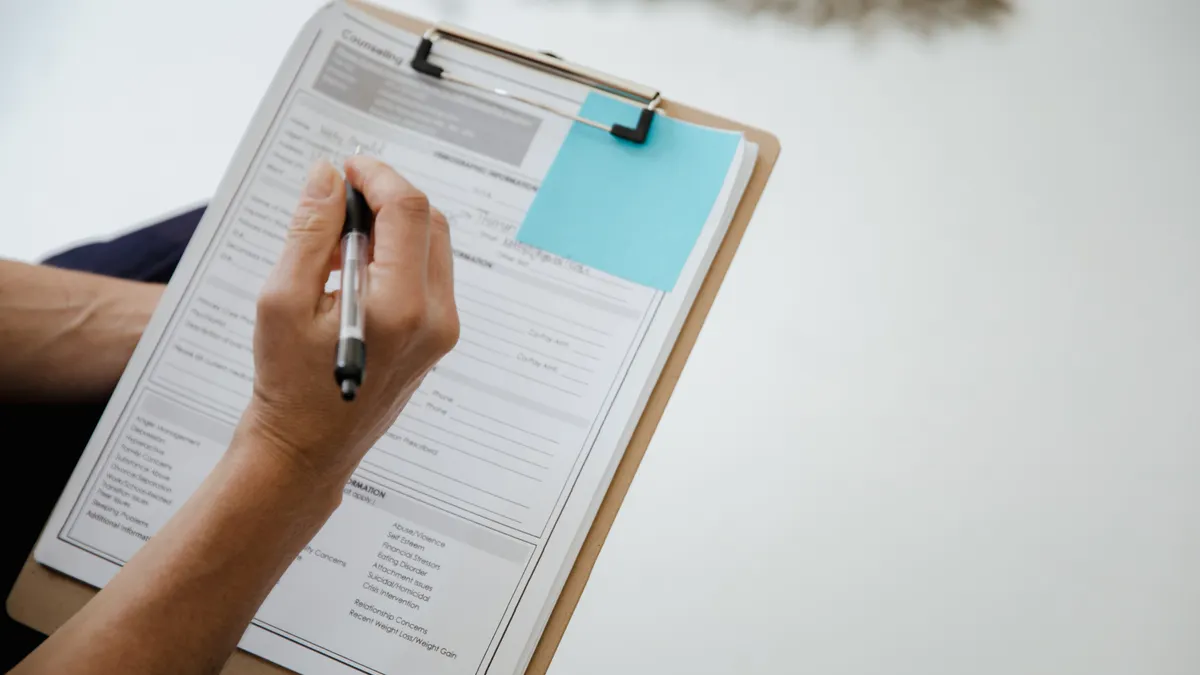
How to create a weekly AI SEO ops report works best when you collect the week’s events, sort them into the same 6 buckets, and end with named next steps. That is usually the clearest way to keep it honest and readable.
Picture this: you’re at Friday closeout with notes in three tools and half a dozen Slack messages. The report should not ask you to invent a story. It should ask you to classify what happened and decide what changes next.
Use this order:
- Set the week boundaries. Use one fixed cadence, such as Monday through Sunday, so every report compares the same time slice.
- Pull the workflow events. Gather prompt changes, draft counts, review backlogs, publishing delays, QA flags, and correction notes from the week.
- Mark the exceptions. Call out anything outside the normal process, such as a broken template, a missing source check, or a spike in revisions.
- Write the status line. Use one plain label — on track, at risk, or blocked — so the reader sees the state in one glance.
- Show week-over-week change. Compare this week with last week in plain language, not a wall of numbers.
- List action items. Name the owner, the task, and the due date so the report turns into work instead of commentary.
You do not need a fancy tool to do this. A spreadsheet, a doc, or a workflow dashboard export is enough if the fields stay the same. A template matters more than software.
One useful habit is to write the action item before you polish the prose. If there is no owner and no date, the item is not ready. It is just a note.
What belongs in the exceptions and risks section?
How to create a weekly AI SEO ops report also depends on the exceptions and risks section, which should show what went wrong, what might go wrong next, and what you’re doing about both. That section keeps the report from pretending the workflow is steady when it is not.
Picture this: you’re reviewing a week where AI drafts looked fine until a source-check step was skipped on Wednesday. The report should make that visible. If you leave it out, the team will repeat the mistake and wonder why quality slipped again.
Treat exceptions as facts, not drama, and if the issue affects publishing, quality, or compliance, consult a professional and follow an appropriate source such as the NIST AI Risk Management Framework or Google Search Essentials. A missed human review, a prompt version that changed without notice, or a batch of outputs with invented citations all belong here. So does a backlog that doubled after a content update. The point is to name the deviation and its effect.
A simple risk note has three parts:
- What could happen: for example, review delays could push publishing past the target week
- Why it matters: the delay may create stale content or missed updates
- What is being done: add an extra reviewer, freeze a prompt, or split the queue
That section should usually be short — often 3 to 5 bullets is enough. If it runs longer, the report is drifting into incident logging. That belongs elsewhere.
A weekly ops report is often more useful when it admits uncertainty. If a model update may change output behavior next week, say so. If the risk is low because the process has a second human check, say that too. Both facts matter.
How detailed should the action items be?
How to create a weekly AI SEO ops report depends on action items that are specific enough that someone can act on them without a follow-up meeting. If the task cannot be completed in the next 7 days, it probably needs to be broken down.
Picture this: you’re closing the report and see “improve AI content quality.” That is not an action item. It is a wish. The report needs a concrete task, an owner, and a deadline.
Use this format:
- Task: rewrite the prompt header rules
- Owner: the person responsible
- Due date: this week’s Friday
- Expected result: fewer off-brand subheads or fewer review edits
That structure does two jobs. It clarifies accountability, and it makes next week’s report easier to write because you can check whether the task was closed. A vague line like “monitor performance” gives you nothing to measure.
Now, you might be wondering how many action items is too many. More than 5 to 7 usually means the report has mixed major work with minor cleanup. Separate the real blockers from routine chores. If everything is urgent, nothing is.
Also watch for action items that belong in project planning rather than ops reporting. A new site migration, a full content audit, or a prompt system rebuild may matter, but they can overwhelm a weekly ops report. Keep the report focused on operational movement.
What mistakes make these reports useless?
The biggest mistake is reporting volume instead of control. A page can say “20 drafts produced” and still hide the fact that half of them needed manual correction.
Picture this: you’re scanning a report that lists output counts, but no one mentions that the QA queue is 4 days behind. That report looks busy and tells you almost nothing. Busy is not the same as healthy.
Common mistakes and what they cost:
- No fixed format: readers cannot compare week to week
- No exceptions section: problems get buried until they repeat
- No owner on action items: nothing moves after the meeting
- Too much detail: the real issue gets lost in the noise
- Too many vanity metrics: the report flatters the process instead of managing it
The cost is not just confusion. It is delayed correction. In AI SEO work, a missed hallucination check or a broken prompt can spread fast through the content queue. If the report does not surface that issue the same week, it is already late.
A better rule is simple: if a line does not change a decision, cut it. That keeps the report tight and forces you to focus on the operational questions that matter. One clear page beats three pages of fog.
A simple weekly template you can reuse
How to create a weekly AI SEO ops report becomes simpler when the template fits on one page and reuses the same six fields every time. That makes the report easier to write and much easier to read.
Picture this: you’re filling out the same structure every Friday afternoon and want the format to stop fighting you. A stable template does that. It also makes week-over-week change obvious without extra formatting tricks.
Use this plain structure:
Weekly AI SEO Ops Report
Week covered: [dates]
Status: [on track / at risk / blocked]
What changed this week: [2–4 bullets]
Exceptions: [bullets]
Risks for next week: [bullets]
Action items: [task — owner — due date]
If the team uses a workflow dashboard, the report can sit on top of it as the human summary. The dashboard shows the moving parts. The report tells people what to do about them.
The weekly AI SEO ops report works best when it is boring in the right way. It is consistent, short, and direct. When a reader can open the file and immediately see status, change, exceptions, risks, and action items, the report has done its job.
For a broader measurement framework, the AI SEO measurement and reporting hub can sit above this format and connect it to the rest of the system.
What should a weekly AI SEO ops report include?
A weekly AI SEO ops report should include status, week-over-week change, exceptions, risks, and action items. Those are the five pieces that make it useful for operations instead of theater.
The report should also include the week covered and a clear owner for each next step. Without those, readers can’t tell what changed or who is supposed to move first.
How short should an ops report be?
A weekly ops report should usually fit on 1 page or a short dashboard summary. That length is enough for the core facts without burying the reader in logs.
If it needs more space, the report is probably mixing ops notes with project detail. Split those apart and keep the weekly version lean.
Who should receive the report?
The report should go to the people who work the process and fix the process. That usually means the SEO operator, the content lead, the editor, and anyone owning a blocked action item.
If it’s sent to readers who can’t act on it, the report turns into noise. Keep the audience tight so the weekly cadence stays useful.
Drafted with AI; not yet reviewed by a person.