

Last updated: October 21, 2026
Key Takeaways
- Clear SEO SOPs tell teammates the order, owner, and handoff for each step.
- Define the boundary before you write the process.
- Map the workflow as numbered steps with one action, one owner, and one result.
- A good template has enough structure to stop drift, but still gets filled in.
SEO SOP documentation is the shared playbook that turns one person’s AI-assisted process into a repeatable team system. If the document only lives in someone’s head, the work will drift the moment a writer, strategist, or analyst changes. Quick answer: one documented workflow, with one owner and one review point, is usually enough to start.
What good SEO SOP documentation has to do
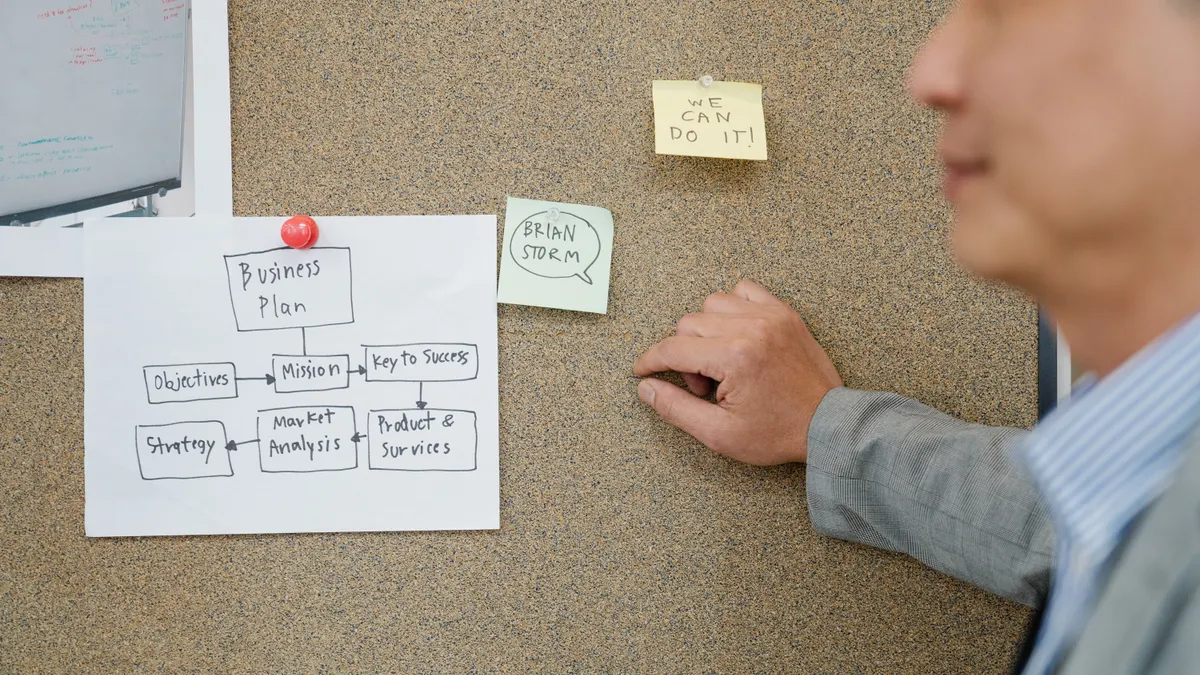
Good SEO SOP documentation tells a teammate exactly what to do, in what order, and where the handoff lands. It also shows where AI is allowed to help, where a person must review, and which output is expected at each stage.
This is not a place for a vague “use AI to speed things up” memo. A real standard operating procedure has three jobs: reduce guesswork, make quality checkable, and keep the process the same when the person changes. For an SEO team, that usually means one document for the workflow itself, plus linked subdocs for prompts, examples, review rules, and owners. For background on standard work and process control, see NIST’s guidance on process documentation and control and ISO 9001’s emphasis on documented information. NIST; ISO 9001.
The honest trade-off is time. A useful SOP takes longer to write than a quick internal note, and it will feel slower on day one. The payoff is that a new hire can follow a 7-step process without chasing three Slack threads and a half-remembered Loom recording. If the team is only one person, a lighter version may be enough; once two or more people touch the same page, the doc needs structure.
Use a system your team already opens daily. Notion works well when the process benefits from linked databases, checklists, and easy editing. Google Docs works well when the team wants a linear document with comments and version history. Asana is better for task routing and deadlines, but it should not be the only place the SOP lives.
For a broader setup, the hub on how to set up an AI SEO workflow for a solo site owner sits above this page and covers the individual operator version. This page is for the team layer: the rules that make the process repeatable across people, and the companion guide on AI SEO content workflows shows the related content side. AI SEO workflow for a solo site owner; AI SEO content workflow.
Start with the workflow boundary, not the tools
Therefore, define the boundary before you write a single step. You need to know exactly which part of the SEO process the SOP covers: keyword research, content brief creation, draft generation, on-page optimization, internal linking, refreshes, or reporting.
If the boundary is too wide, the doc becomes a junk drawer. If it is too narrow, the team will still improvise around missing pieces. A useful range is one workflow per SOP, with each workflow ending in a clear handoff. Example: “From keyword list approved” to “brief approved by editor,” or “from crawl export pulled” to “prioritized issue list in Asana.”
Write down four fields first:
- the trigger that starts the process
- the output that ends it
- the primary owner
- the reviewer or approver
That gives the document shape. It also makes version control easier later, because changes happen at a named boundary, not throughout the entire system.
If the team cannot name the start and end in one sentence, the process is too fuzzy to document yet. In that case, strip it back to one deliverable, such as “AI-assisted content brief creation,” and document the rest separately. A 15-minute scoping pass saves hours of rewrites.
How do I map the AI SEO workflow into steps?
Next, map it as a numbered process with one action per step, one owner per step, and one visible result for each step. That is the cleanest way to turn a working routine into SEO SOP documentation.
- Name the trigger in the first line of the SOP. Use the exact condition that starts the work, such as “keyword set approved in Asana” or “monthly content refresh list exported from GSC.” The reader should know when to begin without asking anyone.
- Assign the first owner and the backup. Put the role, not the person, in the doc: strategist, editor, writer, analyst. The result you want is a clear handoff if someone is on leave.
- List the input files and source systems. State where the team pulls data from, such as Google Search Console, a content calendar in Notion, or a client brief in Google Docs. The result is no lost time searching for the right version.
- Describe the AI task in plain language. Say what the model is doing, like summarizing SERP patterns, drafting headings, clustering queries, or rewriting an outline. Include the prompt location if it is stored separately.
- Set one quality check per step. Use a measurable rule where possible: “heading includes the target page intent,” “brief includes one primary keyword and three secondary angles,” or “all claims checked against the source doc.” The result is that review becomes repeatable rather than subjective.
- Define the human approval point. Say who signs off, what they look for, and what happens if they reject it. This is where AI stops and editorial judgment starts.
- Write the handoff note. Include what the next person needs to know, what changed, and what still needs attention. A handoff that takes 90 seconds to read is much more useful than a paragraph of backstory.
- State the final storage location. Put the finished brief, draft, or checklist in one named place, such as a Notion database entry or a Google Drive folder. The result is a document trail someone can follow six months later.
Because of that, the best test is a teammate who has never done the task should be able to get from step 1 to step 8 without opening chat logs. If they cannot, the doc still depends on tribal knowledge.
Which template fields make the SOP usable in Notion or Google Docs?
In Notion, the best shape is usually a template page with database properties for owner, status, last reviewed date, and version. In Google Docs, the same job is done with a fixed heading order and a short table at the top.
At minimum, the template should include these fields:
- SOP title
- purpose
- scope
- trigger
- inputs
- tools
- step-by-step process
- review criteria
- handoff notes
- owner
- backup owner
- version
- last updated date
If the team uses Asana, keep task execution there and keep the SOP in Notion or Google Docs. Asana should point to the SOP, not replace it. That split matters: task tools are good at status; SOP tools are good at process. Mixing the two usually makes both worse.
One practical trick is to add a short “example output” box. For a content brief SOP, that might be a sample title brief, a sample H2 list, or a sample approval note. For a reporting SOP, it might be a sample summary paragraph. The example reduces interpretation errors without adding another training call.
A 2-column table works well for fast scanning:
- Field
- What to enter
That keeps the document usable for a new hire at 9 a.m. on a Monday. If the page gets longer than about 3 screens in Notion or 2 printed pages in Docs without a strong hierarchy, the template is doing too much.
Who owns roles, responsibilities, and handoffs?
Because ownership and review are already defined in the workflow, the process owner should own the document, while each role should own its own step. That split prevents the common failure where everyone assumes someone else will update the SOP after a process change. If your workflow touches client deliverables or compliance-sensitive content, consult a professional before assigning responsibilities. See the CDC’s guidance on clear role assignment and the Project Management Institute’s guidance on ownership and accountability. CDC; PMI.
Use a simple responsibility pattern:
- Owner: keeps the SOP current
- Executor: follows the steps
- Reviewer: approves quality
- Backup: covers absences
- Stakeholder: needs visibility but does not edit the process
This is where a short RACI-style section can help, even if the team does not build a full matrix. A RACI chart is useful when multiple people touch one deliverable, but it becomes overkill for a small content team of 2 to 3 people. If the workflow has more than 5 handoffs, though, a responsibility table is worth the space.
Handoff notes are the difference between a usable SOP and a pretty one. Put the handoff in a fixed format:
- what was completed
- what the next owner should do
- any exceptions
- links to source files
- due date or review date
That format cuts the back-and-forth that usually happens in Slack or email. It also helps when the work is paused midstream. If a writer leaves a draft in one state and the editor picks it up 3 days later, the handoff note should make the next action obvious.
The trade-off is that role clarity can feel rigid to a small team. It is still worth it. Without named ownership, AI-generated work tends to fail in the seam between creation and review, because nobody owns the gap.
How do you keep version control from turning into chaos?
Therefore, version control works when every change has a date, a reason, and a reviewer. Without those three things, the SOP becomes a pile of “final_final_v4” files and nobody knows which rule is current.
Use one source of truth. In Notion, that usually means one live page plus archived versions. In Google Docs, it usually means one document with named versions in the version history and a short change log at the top. Do not duplicate the SOP across multiple folders unless the copies are read-only archives.
The change log can stay small:
- date
- what changed
- who changed it
- why it changed
- whether training is needed
That is enough for most teams. You do not need a 20-line release note unless the workflow affects multiple departments or client accounts.
Set a review cadence. Monthly works for fast-changing workflows; quarterly is enough for stable ones. If the team changes models, prompt rules, or editorial standards, review the SOP immediately rather than waiting for the calendar. AI tools change faster than old publishing checklists, so a stale SOP causes more damage here than in a manual process.
One honest limitation: version control only helps if people actually use the live file. If teammates keep personal copies, the system fragments. The fix is not more documentation; it is stricter access and a single published location.
What mistakes break AI SEO SOP documentation?
The most common mistake is documenting the tool instead of the task. That leaves the team with a prompt list and no process. When the model changes, the whole document becomes useless. A workflow doc should describe the decision point, the input, and the review standard, not just which button to click.
A second mistake is skipping examples. A sentence like “write a better brief” costs the team interpretation time every time they use it. A sample brief, sample handoff, or sample approval note gives the team a shape to copy. That matters even more in a mixed team where one person is strong in SEO and another is stronger in operations.
A third mistake is treating the SOP like a one-time project. If the process changes twice and nobody updates the page, the team learns to ignore it. If the workflow affects publishing, legal, or client-facing decisions, consult a professional and use a reliable source before changing the process. See Google’s Search Central documentation for search-related changes and the Nielsen Norman Group’s guidance on usable documentation. Google Search Central; Nielsen Norman Group.
A fourth mistake is burying the approval rule. If the SOP does not say who can approve, AI output can slide into production too early. That creates avoidable edits later, which is the opposite of the time savings the workflow was meant to create.
A final mistake is writing for the manager instead of the user. A useful SOP tells a teammate what “done” looks like in under 5 minutes of reading. If the page sounds like a policy memo, it is probably too abstract to run work.
The best way to launch the SOP with the team
Because the document only helps if people use it, the best launch is a 30-minute walkthrough plus one live example. Do not release the document and hope people absorb it on their own. A short training session, one example task, and a place for comments will surface gaps fast.
Start by showing the live document in Notion or Google Docs. Then walk through one full pass from trigger to handoff. Ask the team to name the point where they would most likely get stuck. That question finds weak spots faster than asking whether the doc is “clear.”
After the walkthrough, give the team one test run before the SOP is considered final. If the work is important, use a real task; if not, use a small internal example. The goal is not perfection. The goal is to discover where the document fails when used by someone who did not write it.
Then lock the structure and keep the edits controlled. Small fixes belong in the change log. Bigger changes should happen at review time, not in the middle of live work. That discipline is what makes the document worth keeping.
If the team needs a rule of thumb: write for the person who will do the task at 4 p.m. on a busy day, not the person who drafted the SOP at 9 a.m. with a clean desk. For a practical rollout checklist, see the companion page on AI SEO content workflow steps and the broader workflow setup guide. AI SEO content workflow; set up an AI SEO workflow.
What should an seo sop include?
An SEO SOP should include the trigger, owner, inputs, step order, review criteria, handoff note, and version history. It should also show where AI is used and where a human must approve the work. A good SOP reads like a set of instructions, not a policy memo, and it should fit the team’s actual tools, such as Notion, Google Docs, or Asana.
How do you keep workflow docs current?
Keep workflow docs current with a named owner, a monthly or quarterly review date, and a short change log. Update the document whenever the process, tools, or approval rules change. If the team keeps using outdated versions, move to a single live source and archive the rest so there is no confusion about what is current.
Who should own the documentation?
The person responsible for the process should own the documentation, even if others contribute edits. That usually means the SEO lead, content ops lead, or strategist who understands the handoffs and quality checks. If ownership is unclear, the doc will age quickly because nobody feels responsible for keeping it aligned with the real workflow.
Drafted with AI; not yet reviewed by a person.